Plan meals without starting over
Your plan and Pantry stay connected. See what upcoming meals are expected to use and what’s missing. Reuse favorites, plan leftovers, and make room for different household planning groups.
 Stock & Table
Grocery planning for real households
Your meal plan, shared grocery list, and Pantry work together. See what’s already at home, buy what’s missing, and carry each shopping trip into the next plan.
Built for households, not perfect spreadsheets.
One place to plan the week, shop together, and keep the household moving.
How Stock & Table helps
Stock & Table connects the everyday decisions that happen before, during, and after a grocery trip. It gives the household one clear view without turning groceries into an inventory-management job.
Your plan and Pantry stay connected. See what upcoming meals are expected to use and what’s missing. Reuse favorites, plan leftovers, and make room for different household planning groups.
Everyone can add to one shared grocery list. Shop by store section, check items off immediately, and use Finish Shopping when you’re done. Buy extra for backup and leave price details for later.
Use Have, Running low, or Out for everyday staples, and Exact tracking when counts help. Account for planned meals before you shop, then correct what you have when real life changes the plan.
Type or paste “milk, bananas, 2 cans black beans, cereal” and review the groceries together. Stock & Table remembers household shorthand after you confirm a match. Scan a barcode instead of typing in List or Pantry.
Inside Stock & Table
Move from Home to Plan, List, shopping, and Pantry without rebuilding the same household context at every step.
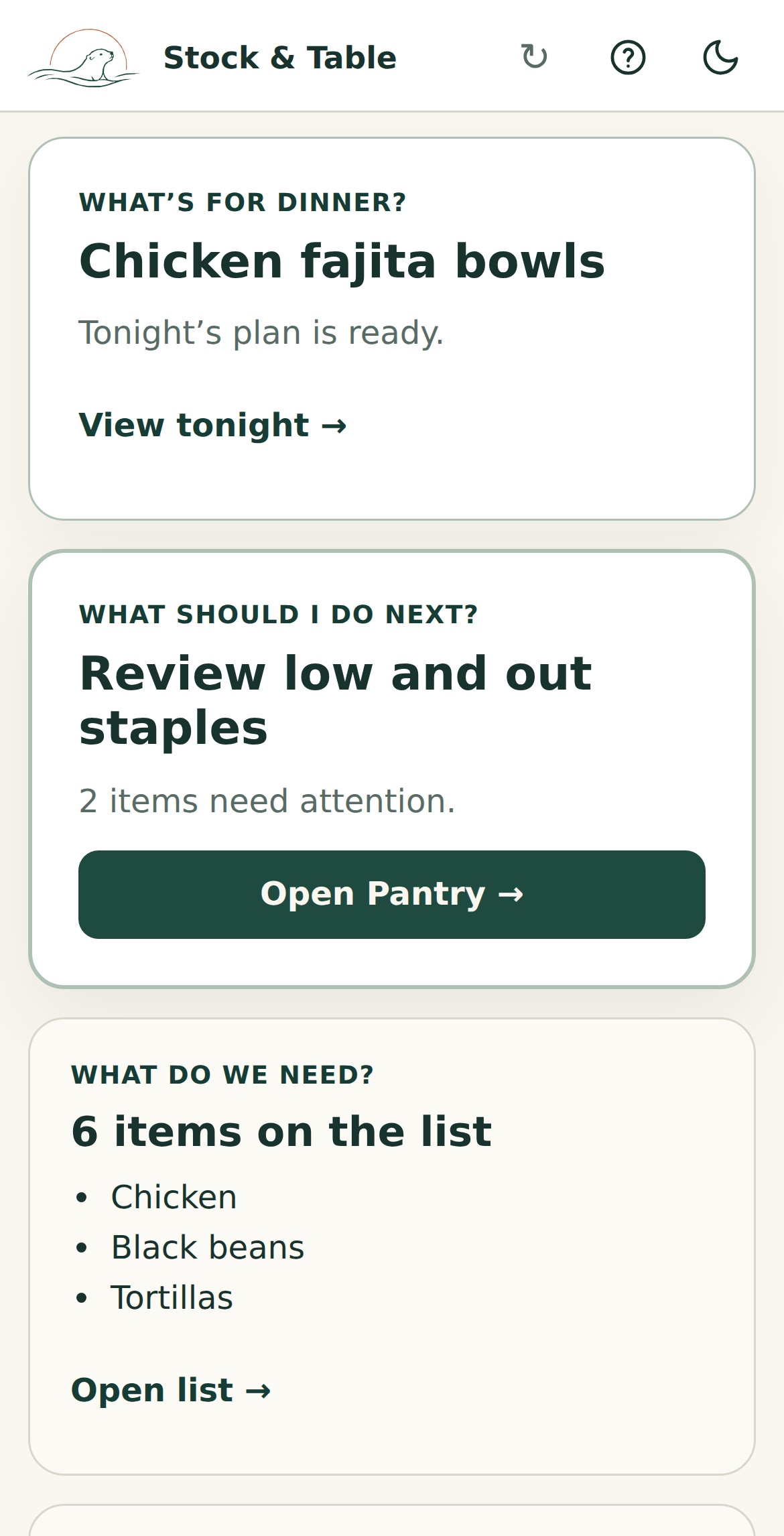
See tonight’s dinner and the current shopping need together, with a clear next action.
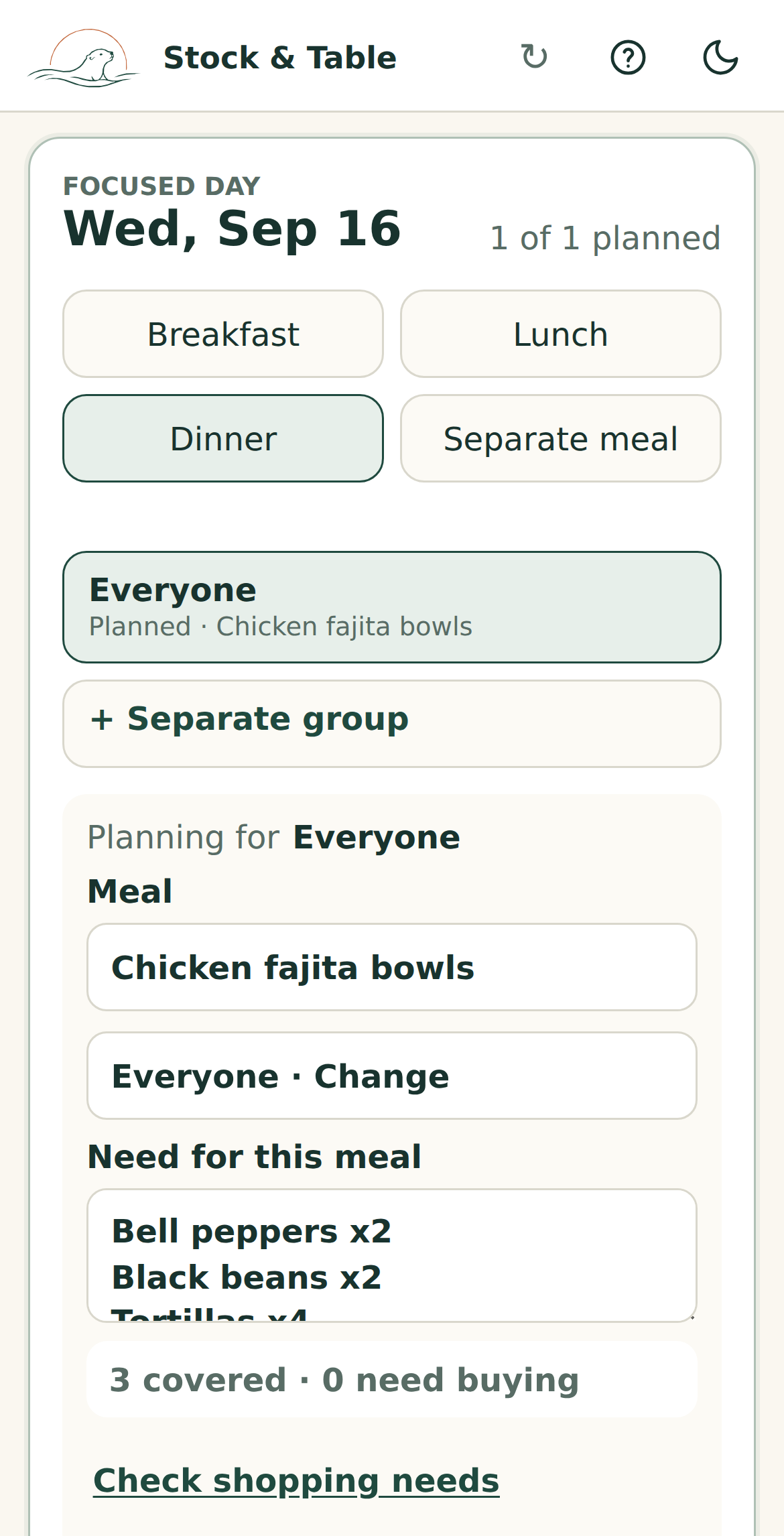
Focus on the selected day, see the planned meal, and check how Pantry covers what it needs.
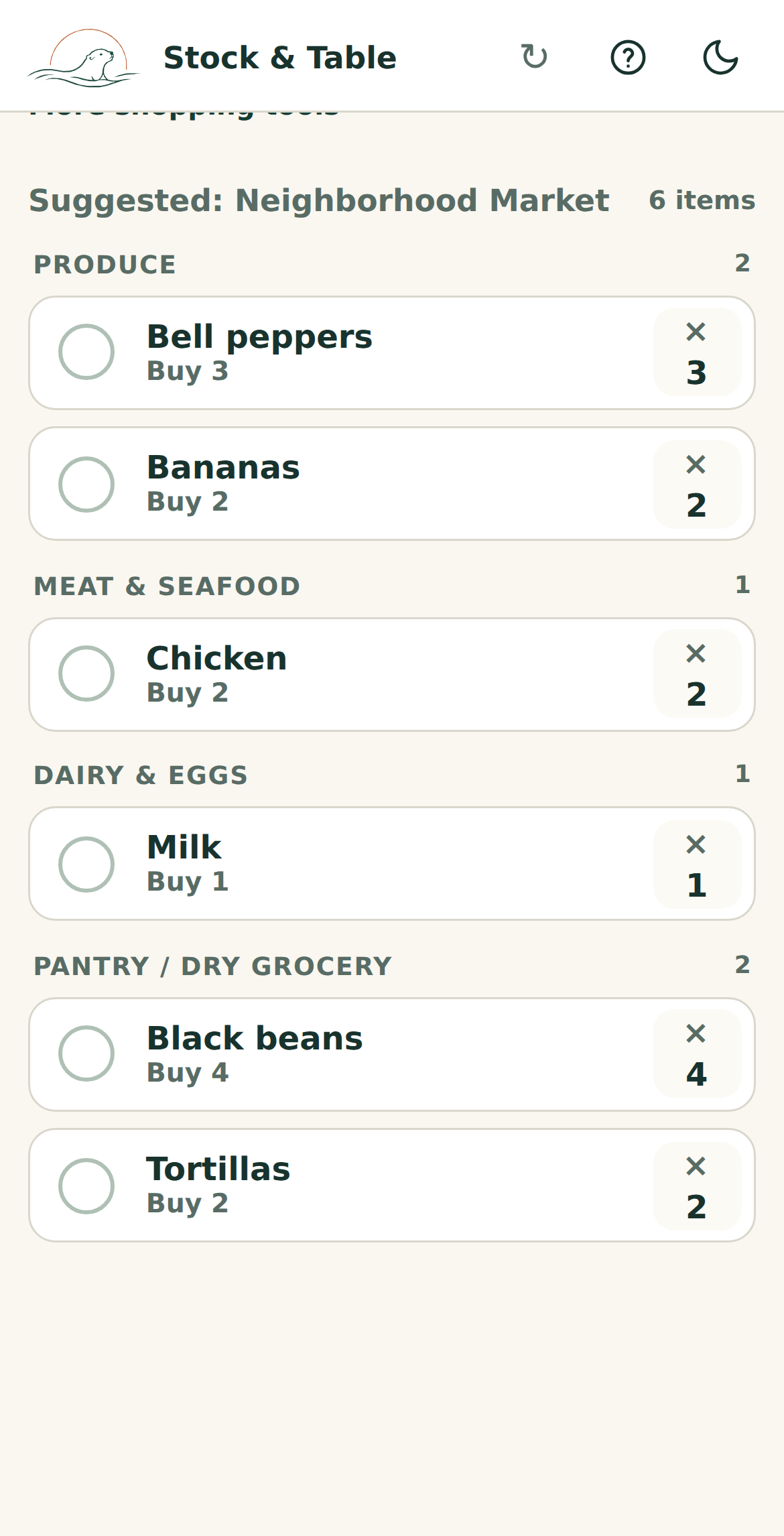
Shop from compact rows grouped by store section, with buy quantities and checkboxes visible as you move through the store.
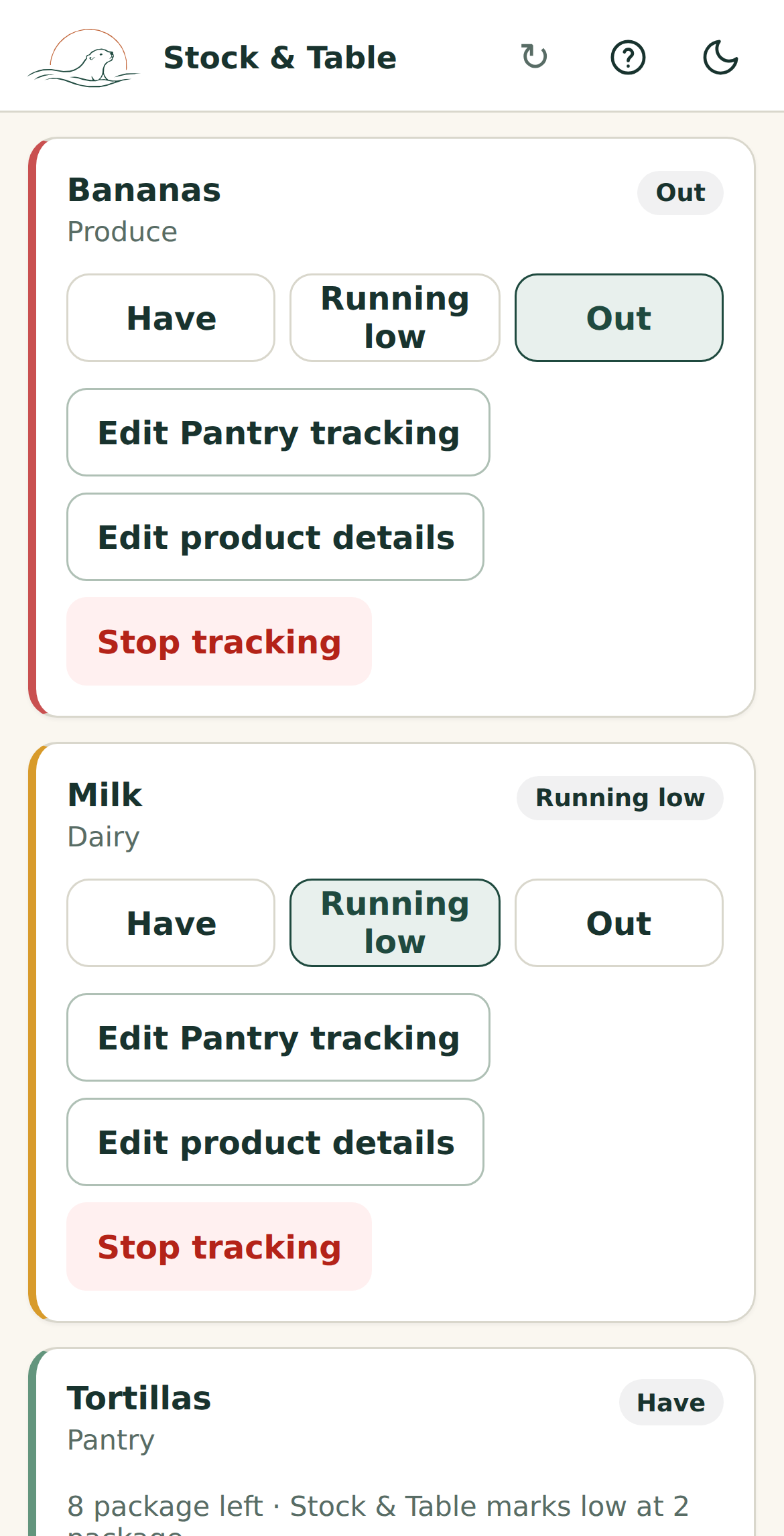
Use quick status tracking for staples and exact counts where they help, without treating every item the same.
One connected grocery routine
Each step carries useful information into the next, so the household spends less time repeating itself.
See tonight’s dinner, your list, low staples, and a useful next action.
Decide what the household will eat, using Pantry to see what’s available and what meals are expected to use.
Add groceries as they come to mind or move needed ingredients from the plan.
Check off purchases quickly. Unknown or changed prices never have to slow you down.
Finishing the trip updates Pantry for future meals, while keeping your household’s price and spending history together.
Built for real life
Simple pantry trackingUse Have, Running low, or Out when exact quantities would be more work than they’re worth.
Pick up where you left offKeep useful Plan context, List filters, and Pantry search when you switch tasks and come back.
Prices never block the tripUse a known price, update it, or leave it for later and keep shopping.
Keep shopping when the signal gets badSupported List actions can continue offline and sync when you reconnect. If a change needs attention, you can review and retry it. Other features still need a connection.
Your household’s next grocery trip
Start with what you need right now. Plan tonight’s meal or build your shopping list. Set up the rest as you go.